A mechanical contractor usually sees a system for the first time when they receive the construction package, and by then the shutdown is already on the calendar. Every question the package doesn’t answer becomes a phone call, a request for information (RFI), or a guess in the field.
Whether the package comes from an outside design firm, an in-house engineering group, or a contractor’s own design-build team, the essential documents and questions remain the same. This article explains what belongs in a process mechanical package, the purpose of each document, the gaps that appear most often, and the cost of those gaps during installation. The two-page Fabrication and Construction Package Checklist collects the checks for each document and is available at the end of this article for use with packages from any source.
What a complete package contains
A complete package should include one combined PDF containing every drawing the contractor needs to install the system, every list needed to order material, and supporting information that explains how the design goes together.
Jeff Ormsbee, a principal chemical engineer at C-P Systems who has assembled packages for a little over ten years, summarizes the intent in one sentence.
“You’re telling a story to the contractor.”
Jeff Ormsbee“You’re telling a story to the contractor.”
The package should explain how the information is organized and include enough detail to guide construction without distracting from what matters.
The sections below appear in the order the contractor reads them.
01Work description
The work description introduces the project by identifying the owner, the work location within the facility, and the contents of the rest of the package. It also includes information the drawings cannot fully show, including notes on equipment installation, instrumentation, valving, piping, demolition scope, and any field route lines. Field route lines are small-bore or late-stage lines routed on site rather than modeled. The work description should provide an estimate of pipe footage and fittings for each one so the contractor can bid without a drawing.
02Piping specifications
Piping spec cards define materials of construction, pressure ratings, wall thickness, and valve types for every service on the project. The design team should request the owner’s specifications at the start of the project. Most owners have them. When an owner does not, the design team helps develop them or applies an industry-standard set. Every specification used in the drawings requires a corresponding card so the contractor never reaches a line without the applicable specification.
03Instrument and valve list, equipment list, and pipeline list
Three spreadsheets tie the drawings to the material requirements. The instrument and valve list identifies every instrument, valve, and non-piping component by tag number and records its description, location, model number, vendor, price, and lead time. The equipment list does the same for equipment and adds pressure ratings and electrical requirements so controls personnel have the information they need. The pipeline list assigns a unique number to every line, from point A to point B, and tracks specification, size, thickness, insulation, heat tracing, paint, and whether an isometric has been completed.
The tag numbers on these lists need to match the tag numbers on the P&IDs and isometrics. A contractor who sees hand valve three on a drawing should be able to find it on the list and know exactly what to buy and where it goes.
04Drawing index
The drawing index works like a table of contents. It lists every drawing in the package, groups them by type, and records the current revision of each one. When a bulletin or addendum goes out after the package is issued for construction (IFC), the index lets field crews confirm that they are building from Rev B rather than Rev A. A crew can end up working from old sheets while the contractor’s office has the update, so each reissue should identify the new or revised drawings and require the removal of superseded versions from the field.
05Piping and instrumentation diagrams
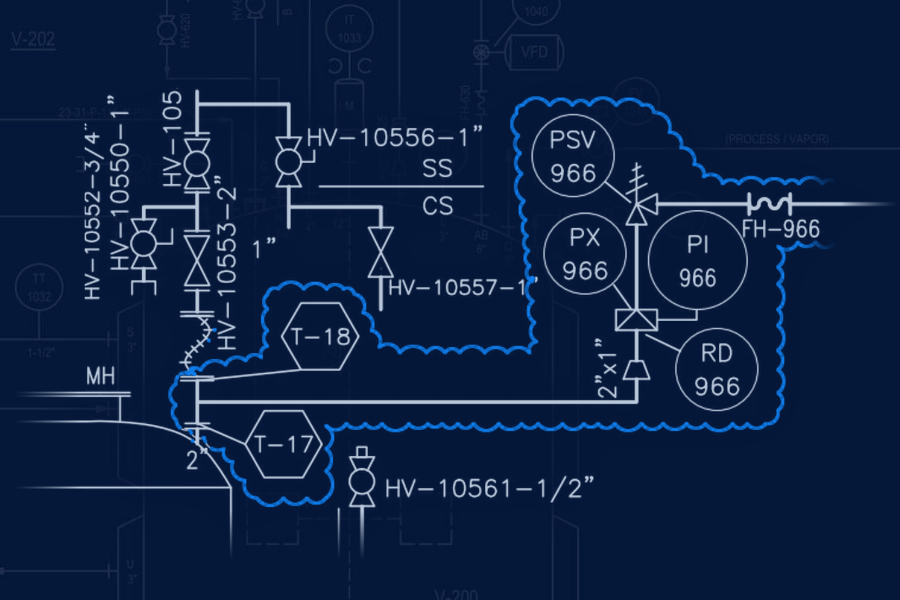
The piping and instrumentation diagrams (P&IDs) are, in Ormsbee’s words, “the lifeblood of the project.” They show how every piece of equipment connects, with every instrument, valve, and line tagged to match the lists. For work at an existing facility, the package includes two sets. The demolition set marks what must be removed, and the design set shows what will be installed and where it ties into existing equipment and piping.
06Equipment layouts and equipment drawings
Equipment layouts are plan views of the installation area with benchmarks the contractor can measure from in the field so new equipment can be placed properly and without delay. Equipment drawings are the vendor cut sheets for each piece of equipment, with nozzle locations, dimensions, and weights.
During specification, and before anyone places an order, the design team should verify the overall dimensions of each piece of equipment and confirm how it will enter the building. Confirming fit at this stage keeps the team from reaching the point of purchase only to learn the equipment won't fit into the building.
07General arrangements
Most sizable projects include a 3D model. When the owner is comfortable sharing it, the contractor can navigate the model on a computer. When the owner does not share it, general arrangement drawings fill that role. They provide views of the model from several angles, with major equipment and a limited number of instruments and line tags labeled so field crews can orient themselves without making the drawings unreadable.
08Isometrics and bills of materials
The isometrics are the largest section of the package. Every modeled line receives an isometric showing its start and end points, elevations, sizes, turns, instruments, valves, and whether each joint is welded or threaded. Each isometric includes a bill of materials (BOM) listing each component and its quantity, along with the total pipe length for that line. One isometric can span five pages for a long line, and a full package can contain thousands of pages. The design team should bookmark the PDF by section. Contractors describe bookmarks as immensely helpful, and adding them requires very little design-team time.
09Piping details, equipment details, and supports
When the 3D model cannot provide enough detail, the package needs 2D detail drawings. A dip tube into a vessel is a typical example. Equipment detail drawings supply information missing from a vendor drawing. Support detail drawings show the intended configuration of piping and equipment supports, even when a civil firm or the contractor will finalize the design.
10Insulation, heat tracing, and paint
Insulation is usually a separate trade, so the package needs to identify which lines require insulation, which require heat tracing, and which carbon steel lines require paint for corrosion protection. The pipeline list is the clearest place for this information because not every owner wants it on the P&IDs.
Where packages fall short
The five gaps below arise most often in calls from contractors during installation. They occur in packages from outside firms and in-house groups alike, and most trace back to the end of a project, when the design is complete and the package is assembled under deadline pressure. Often the firm that produced the package never hears about the problem because the contractor absorbs the cost in the field. Each section follows the same pattern. It explains what happens, what it costs, and what to look for before a package goes out for bid.
No isometrics
The designer builds the whole system in a 3D model but does not generate isometrics, the line-by-line drawings a pipefitter builds from. The package goes out sooner because generating and checking isometrics is the longest part of assembling one.
A crew that has never seen the system will either need to draw the isometrics themselves or build directly from the model on a laptop in the field. Either way, they must also create the bill of materials, identifying every fitting and length of pipe needed while the shutdown clock is running. In Ormsbee’s experience, contractors who have hired a design firm to produce isometrics from an existing model have spent far less on that work than they lost trying to build without isometrics.
Every modeled line should have its own isometric with a bill of materials attached.
Coordinates the crew can’t find
Every isometric identifies the starting point of the line with X, Y, and Z coordinates. The software calculates those coordinates relative to the model’s zero point, which the designer may place at an arbitrary location with no physical marker in the plant. If the isometric is issued with those coordinates unchanged, the crew must measure from a point that exists only in the software.
The crew must start at a piece of equipment and work down the line from there. If that equipment has not arrived, installation of the line must wait. A physical reference point the crew can locate with a tape measure, such as the centerline of a building column or a known floor elevation, allows installation to proceed whether the equipment has arrived or not.
Ask which physical reference point the isometric coordinates use and whether a crew can locate it in the building.
A workaround left in the bill of materials
Sometimes a line will not model correctly under the applicable piping specification, so the designer temporarily substitutes a different piping specification to make the model work, intending to correct the bill of materials afterward. Under deadline pressure, that correction can be overlooked.
The contractor orders the listed parts and discovers they are wrong only when they do not fit. Correcting the error requires a new order, adds lead time, and leaves the crew waiting for replacement parts.
Ask whether someone checks the bill of materials on each isometric against the piping specification after the software generates it.
No plan for prefabrication
Contractors weld as much pipe as possible off-site in sections called spools, reducing the work that must occur during the shutdown window. A spool is useful only if it can be carried in and connected. A long run without a planned break may create a spool that cannot pass through the doorway or the existing pipe rack.
The spool must return to the shop for cutting or be cut in the field, eliminating the time prefabrication was intended to save.
Look for flanges or unions at sensible break points on long runs, especially where a line passes through existing obstructions.
Incomplete P&IDs
A P&ID should show a tag number for every valve and instrument, and each tag should match the instrument list. When a tag is missing, the contractor sees a valve on the drawing and has no way to determine which valve in the pile of parts it is.
Each missing tag creates an RFI. A response from the owner can take days, leaving the crew waiting for an answer.
Check that every valve and instrument on the P&IDs carries a tag and that every tag appears on the instrument list. The next step is to specify physical identification tags on the purchase order, using engraved stainless steel or laser-etched plastic, so each device arrives with its numbered tag attached. The crew can identify hand valve five by reading the tag, and the operations team can use the same identifier in its standard operating procedures (SOPs) afterward.
Each of these gaps can cause downtime, often the most expensive consequence. “Downtime is precious, and it can compound easily,” Ormsbee says. As delays accumulate, lost production quickly becomes more expensive.
How a package should be checked before it goes out
For a midsize project, assembling and checking the package typically takes about a week after design and engineering are complete. The work description can take an hour or a full day depending on the project. The isometrics take the longest because each one must be checked against the lists and the model. The software that generates them can cause labels to overlap, omit a tag, or carry a workaround into the bill of materials.
The standard is whether someone unfamiliar with the project could build from the package. The person reading it has not spent months inside the model. “Try to make it as easily understandable as you can,” Ormsbee says. A second reviewer who has never worked on the project should read the package cold and flag anything unclear. That review can catch assumptions a designer stops noticing after months inside a model.
Before an issued-for-bid (IFB) or issued-for-construction (IFC) package goes to the contractor, the owner should review it, ideally after a model review meeting in which the team walks through the 3D model one last time. The team should make final updates before issuing the package, because late edits lead to change orders and schedule delays.
Check every package before the shutdown
Each item in this article requires design-team time before the package is issued, but correcting the same issue costs more once it reaches the field with a crew standing by.
The Fabrication and Construction Package Checklist organizes the checks into two pages by document, allowing reviewers to work through a package in the order a contractor reads it. The fillable format can be completed on screen and stored with the project file as a record of what was verified before IFB or IFC. Owners reviewing a package before bid, contractors deciding whether a package is complete enough to price, and engineers assembling one can use the checklist to identify what to look for and what is missing. It applies to packages from any firm, including ours.